
Leader in IT Support & Cybersecurity Across Ontario

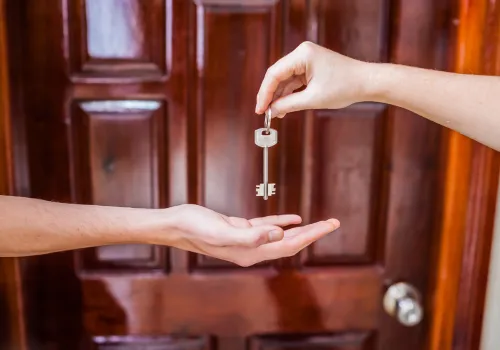
Passwords Are Finally on Their Way Out — Meet the Passkey
Powered By CairiTech
Quick answer
A passkey is a login that replaces your password with your device's own security — your phone or laptop unlocks the account with a fingerprint, face, or PIN, and there's no password for anyone to steal, guess, or phish. This isn't a someday idea: on World Passkey Day 2026 the FIDO Alliance reported roughly 5 billion passkeys in use worldwide, with 75% of people having enabled one on at least one account and 68% of organizations deploying them for staff logins. Because a passkey can't be typed into a fake website, it defeats the phishing that fuels most business breaches. CairiTech, an Aurora, Ontario managed IT and cybersecurity provider, helps Greater Toronto Area businesses roll out passkeys and phishing-resistant sign-in without disrupting the way their teams work.
3 min read posted on 09/20/26
What is a passkey, in plain terms?
A passkey is a pair of digital keys that lets you sign in by proving you hold your own device, instead of by remembering a secret. One key stays locked on your phone or computer; the other lives with the website. When you log in, your device proves it has the matching key after you unlock it with a fingerprint, face scan, or device PIN — nothing secret ever travels across the internet to be intercepted. Built on the open FIDO2 standard and supported by Microsoft, Google, and Apple, passkeys work across Windows 11, iPhones, Androids, and Microsoft 365.
Why are passwords finally failing?
Passwords are failing because they put the entire burden of security on humans who reuse, forget, and get tricked out of them. Stolen and phished credentials remain the front door for a huge share of breaches, and no amount of "make it 12 characters with a symbol" fixes the core problem: a password can be typed into a convincing fake site. The FIDO Alliance's State of Passkeys 2026 survey of 11,000 consumers found 33% had experienced an account compromise or breach notice in the past year, and among organizations deploying passkeys, 32% reported fewer phishing incidents. Passwords also cost you daily in friction — 47% of people say they'll abandon a task rather than reset a forgotten password.
How do passkeys stop phishing?
Passkeys stop phishing because they are cryptographically tied to the real website and simply won't work anywhere else. If an employee clicks a link to a fake Microsoft 365 login, there's no password to enter and hand over — the passkey checks the site's true identity and refuses to authenticate to an impostor. That closes the exact gap behind the warning signs in How Do I Know If My Email Has Been Hacked and the "key under the doormat" problem we described in Your Password Is the Key Under the Doormat. It's why the FIDO Alliance calls passkeys "phishing-resistant" rather than just "stronger."
Passwords, MFA, and passkeys — how do they compare?
Passkeys win on both security and everyday ease, which is unusual for a security upgrade. Here's the practical comparison:
Password alone
Phishing-resistant?
No
User effort
Remember and type it
Main weakness
Reused, guessed, phished, breached
Password + SMS/app MFA
Phishing-resistant?
Partly
User effort
Type password + approve code
Main weakness
Codes can be phished or "fatigue"-approved
Passkey
Phishing-resistant?
Yes
User effort
Fingerprint, face, or PIN
Main weakness
Needs enrolled devices and a recovery plan
Note: even password-plus-MFA can be defeated when an attacker phishes the one-time code or wears down a tired employee with repeated prompts. A passkey removes the thing being phished in the first place.
What should a small business do about passkeys now?
Start where the risk is highest and the payoff is fastest, not everywhere at once. A sensible rollout:
Turn on passkeys for your most critical accounts first — email, Microsoft 365, banking, and admin logins.
Keep phishing-resistant MFA as the fallback where passkeys aren't supported yet — 57% of organizations still rely partly on passwords, so a hybrid stage is normal.
Plan device enrollment and recovery up front, so a lost or replaced phone doesn't lock someone out.
Train the team on what a passkey is and why "there's no password to enter" is the point, not a glitch.
The password era is ending — start on your terms
Passkeys are that rare upgrade that makes logging in both safer and easier, and with 5 billion already in use, the standard has clearly arrived. You don't have to switch everything overnight — you just have to start with the accounts that would hurt most if they were breached. If you'd like a phased passkey plan that fits how your team actually works, we can map it out with you. Book your free discovery call with CairiTech today.
FREE REPORT: IT Buyers Guide

What You Should Expect To Pay For I.T. Support For Your Business (And How To Get Exactly What You Need Without Unnecessary Extras, Hidden Fees And Bloated Contracts)
Frequently asked questions
Are passkeys safe if I lose my phone?
Yes, with a recovery plan in place. Passkeys can sync securely across your devices or be re-enrolled from a backup device, so a lost phone means re-verifying — not losing the account — as long as recovery was set up in advance.
Do passkeys work with Microsoft 365 and Windows 11?
Yes. Passkeys are built on the FIDO2 standard supported by Microsoft, Google, and Apple, and work across Microsoft 365, Windows 11, and modern phones, which is why enterprise adoption reached 68% in 2026 (FIDO Alliance).
Is a passkey the same as a password manager?
No. A password manager stores passwords you still have to send to websites; a passkey replaces the password entirely with a device-held key that never travels, so there's nothing to steal in transit.
Do we still need MFA if we use passkeys?
A passkey already combines two factors — your device plus your fingerprint or PIN — but keep MFA active on any account that doesn't support passkeys yet, so every login stays protected during the transition.
Written by the CairiTech team — Greater Toronto Area managed IT and cybersecurity specialists, serving Ontario businesses (including AEC firms) since 1990. Head office: 1-2 Vata Court, Aurora, ON. Phone: +1 (416) 361-1441.
Popular Reads You Don’t Want to Miss
March 29, 2026
Cyber resilience is no longer optional for Ontario manufacturers and builders. Learn how downtime, cyber risk, and outdated IT can quietly threaten your operations—and what smart business leaders are doing in 2026 to stay secure, compliant, and competitive. [Read more]

January 17, 2025
If you think hackers are only targeting Fortune 500 companies, think again. Thanks to artificial intelligence, cybercriminals now have the power to scale their attacks like never before - and small business owners are at the top of their hit list. Here’s how hackers are weaponizing AI... [Read more]

LOCATIONS
Canada
1-2 Vata Court, Aurora, ON
United States
39288 Calle Tonala, Indio, CA
PRODUCT
COMPANY
SUPPORT
CONNECT
Copyright 2026. Cairitech. All rights reserved.