Leader in IT Support & Cybersecurity Across Ontario

Blog
The One Button That Could Save Your Digital Life
Powered By Cairitech
3 min read posted on 10/25/25
You wouldn’t drive without a seat belt. You wouldn’t leave your office unlocked overnight. So why go online without multifactor authentication (MFA)?
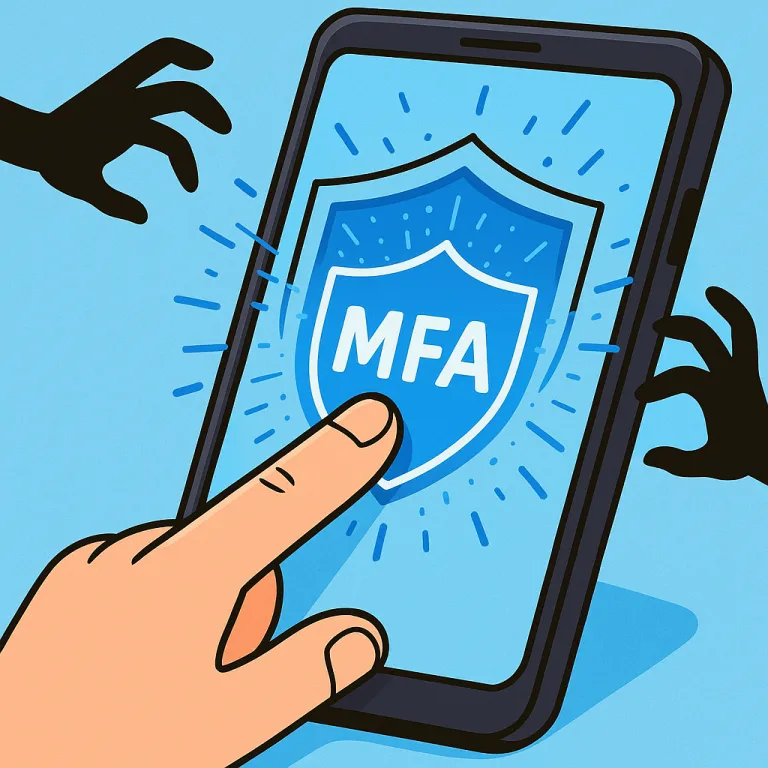
MFA is like a second lock on your digital door. Instead of relying on just a password – which can be stolen, guessed or phished – it adds another layer of protection, such as a text code, authentication app or fingerprint scan. Even if a hacker gets your password, without that second step they’ll hit a dead end.
One Step Can Make All The Difference
If locking your front door at night is your password, arming your security system before heading to bed is MFA. Sure, it isn’t strictly necessary – but isn’t it nice to know that you’re still safe if one protection fails?
That’s exactly what MFA does. It simply adds a quick extra step to confirm that it really is you logging in. There are several terms for MFA, such as “two-step verification,” “two-factor authentication” or a “one-time password,” but it all means the same thing – two or more steps to confirm your identity before granting access to confidential information.
MFA takes a number of forms: account-creation confirmation e-mails, bank security questions, text codes, push notifications and phone calls. The majority of these are only a one-tap process.
Real-Life Moments That MFA Saves The Day
While MFA is pretty easy and quick to deal with on your side of things – just click a button or enter a code and you’re done – the same can’t be said about things on the hackers’ end. If an unauthorized user attempts to log in to your account, having MFA enabled will first send you a notification or code to enter, alerting you to the password breach. This gives you a chance to change your password to something more secure, without all of your data getting stolen.
MFA will also stop anyone trying to use a stolen password to access your systems. Even if a hacker tricks an employee into sharing their login, they still won’t get in without that extra step. In fact, Microsoft found that enabling MFA reduces the risk of account compromise by over 99.2% – and by 99.99% for accounts with MFA enabled.
Where And How To Set Up MFA
The most important places to have MFA enabled are:
Banking and finance apps
E-mail and cloud storage
Social media accounts
Work logins with client or proprietary information
Setting up MFA is usually straightforward. Many major platforms offer built-in MFA; simply enable one that works best for you and build it into your workflow. Adding an authenticator app can make staff logins more secure.
In short, MFA is a quick, free way to block the majority of account hacks. Taking a few minutes to enable it today can save you from weeks (or years) of damage control and data loss down the line.
The easiest way to set up MFA is to contact your IT provider. A knowledgeable MSP will make the process even smoother. If you’re in need of a cybersecurity expert, set up a discovery call with our team now.
FREE REPORT: IT Buyers Guide

What You Should Expect To Pay For I.T. Support For Your Business (And How To Get Exactly What You Need Without Unnecessary Extras, Hidden Fees And Bloated Contracts)
Popular Reads You Don’t Want to Miss
March 29, 2026
Cyber resilience is no longer optional for Ontario manufacturers and builders. Learn how downtime, cyber risk, and outdated IT can quietly threaten your operations—and what smart business leaders are doing in 2026 to stay secure, compliant, and competitive. [Read more]
January 17, 2025
If you think hackers are only targeting Fortune 500 companies, think again. Thanks to artificial intelligence, cybercriminals now have the power to scale their attacks like never before - and small business owners are at the top of their hit list. Here’s how hackers are weaponizing AI... [Read more]
LOCATIONS
Canada
1-2 Vata Court, Aurora, ON
United States
39288 Calle Tonala, Indio, CA
PRODUCT
COMPANY
SUPPORT
CONNECT
Copyright 2026. Cairitech. All rights reserved.